GovCon: Contract Line (CLIN, SLIN ELIN) Register
Contract Lines (CLINs, SLINs, ELINs) register that logs contract budget details at contract award and modification.
How to Use This Function or Component (End User)
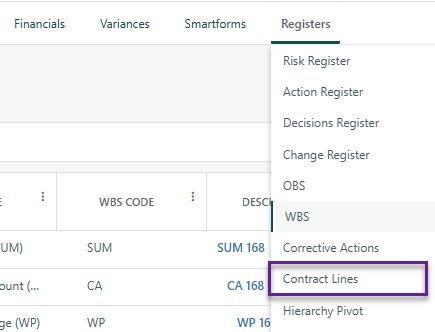
Navigate to the Contract Register on the Project Toolbar.
Click Add at the top-left of the register to open the details panel.
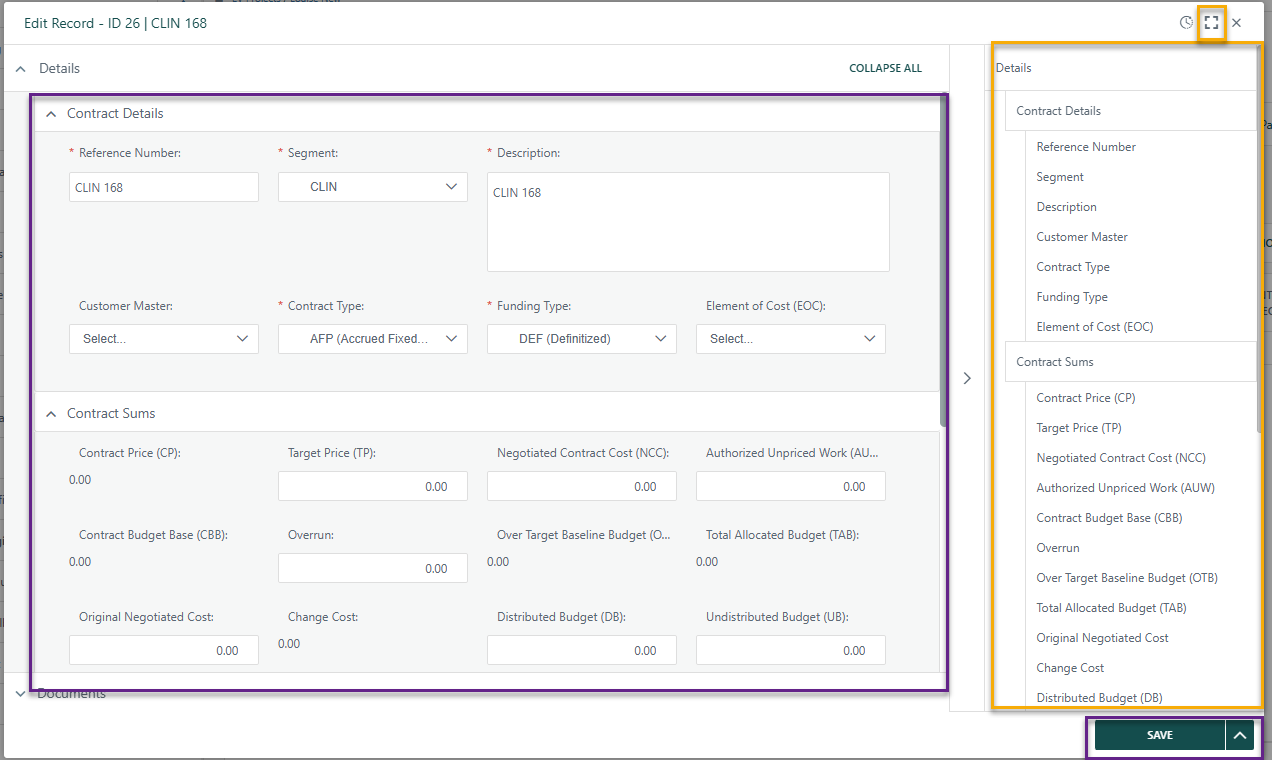
Enter the required information in the fields provided.
- Note: Parent ID will be blank until after the first register item is added as this a dropdown list that references register items that have been previously created.
- To expand the data entry view, click the expand icon in the top-right corner of the details panel.
- A summary of the entered data appears on the right side for quick reference.
When complete:
- Click Save to add the record to the register.
- Click Submit to add the item to the workflow (if applicable).
Close the dialog box.
Your new item is now added to the register.


Integration with the Work Breakdown Structure (WBS) Register
When WBS records are linked to Contract Line (CLIN) records, budget adjustments flow automatically to the WBS Register — keeping Distributed and Undistributed Budget values in balance at all times
WBS Budget Increases
- Linked CLIN Distributed Budget increases
- Linked CLIN Undistributed Budget decreases
- Delta is equal in both directions
WBS Budget Decreases
- Linked CLIN Distributed Budget decreases
- Linked CLIN Undistributed Budget increases
- Delta is equal in both directions
Automatic updates ensure the WBS Register remains accurate without manual intervention — budget conservation is maintained across all linked records.
? Items to be aware of (Gotchas!)
Item | Admin, End User, or Both |
|---|---|
Earned Value Management - Contract Line Register is required for EVM. | Both |
WBS Register references the Contract Line Register, therefore is required. | Both |
Contract Line Register needs to be created before WBS due to dropdowns on register that reference Contract Line Register. | Both |
The Distributed Budget & Undistributed budget will be adjusted based on the linked WBS records. | Both |
Contract Line Register is built on Cora's native Register functionality. See the general Register articles for further capabilities.
Was this article helpful?
That’s Great!
Thank you for your feedback
Sorry! We couldn't be helpful
Thank you for your feedback
Feedback sent
We appreciate your effort and will try to fix the article