
Overview
Calendars are used in Project Gantt charts to help plan resource and work out length of tasks based on Working / non-working days
They are particularly useful if you work across multiple Countries
Cora can preload non-working days into project plans
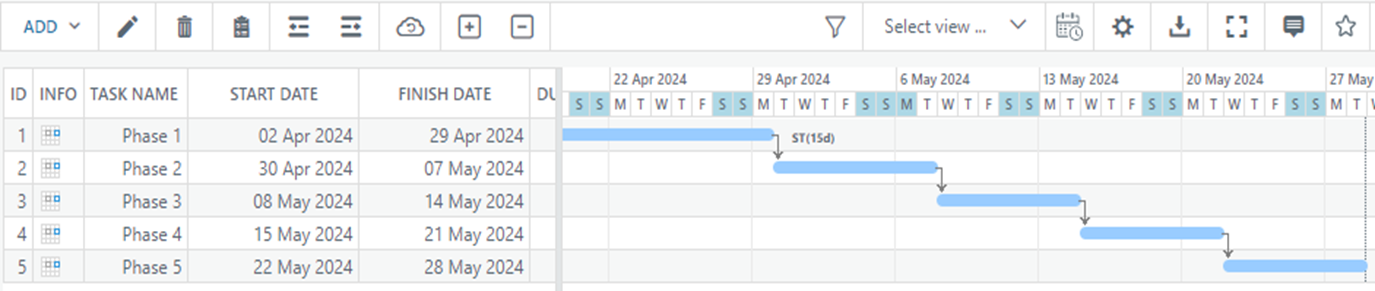
Functionality of Calendars
- There are 3 different calendars in Cora PPM: Company Calendars; Project Calendars and Task Calendars
- Company Calendar is where administrators set non-working days, such as weekends and national holidays. This is done within the initial configuration.
- Project Calendars can be altered by the project manager. This can be done by opening Properties within the desired project to determine working and non-working days
- Task Calendars extends the standard Calendar functionality to allow a different calendar to be used on individual tasks. This allows for better scheduling of projects where some of the work is carried out in different regions or areas.
What can be configured
- Calendars can be added and edited via the system administration page
- There 3 standard day types in Calendars – Normal Working Day; Recurring Non-Working Day & Calendar Non-Working Day
- You can customize an existing calendar for a specific project by clicking the “Modify” link within Project Properties
- By default, task calendars are not enabled. Task calendars are turned on under >>Admin >>System >>Task >>Configuration. Task calendars can then be turned on or off at Project level. This is done in project properties
- Once enabled the calendar for an individual task is set in the Task Manager or in the Gantt Columns grid. Note: You will have to turn on the column in the grid (using the right click on the headers

Sample Calendars
At least one calendar needs to be configured as a minimum. Irish and UK Calendars should already be set up in your system.
Please let us know of any others that need setting up e.g. you may have 7 day working week, or alternate statutory holidays.
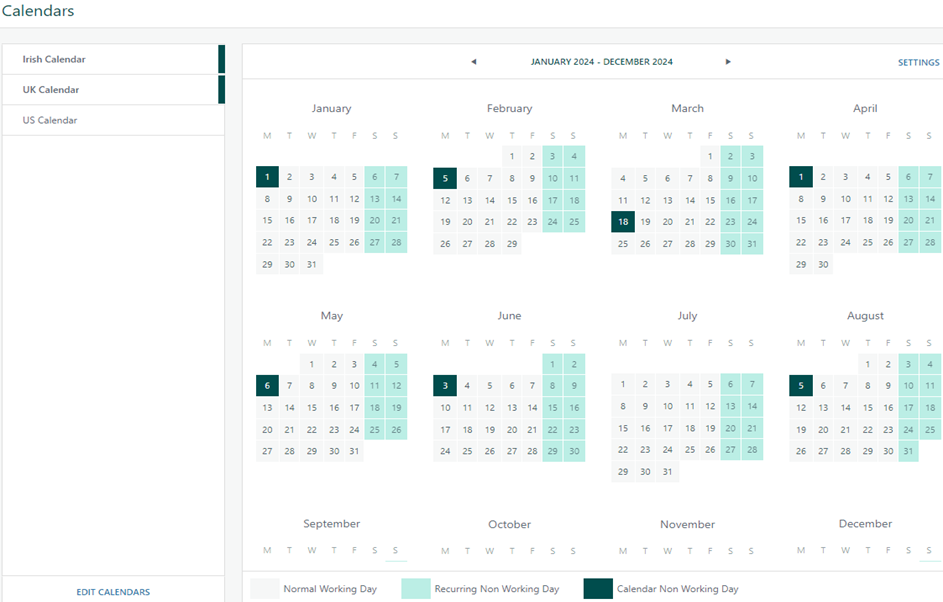
Dates are marked as a “Calendar Non-Working Day” simply by clicking on them and if a date is incorrectly set it can be corrected by clicking on it again.
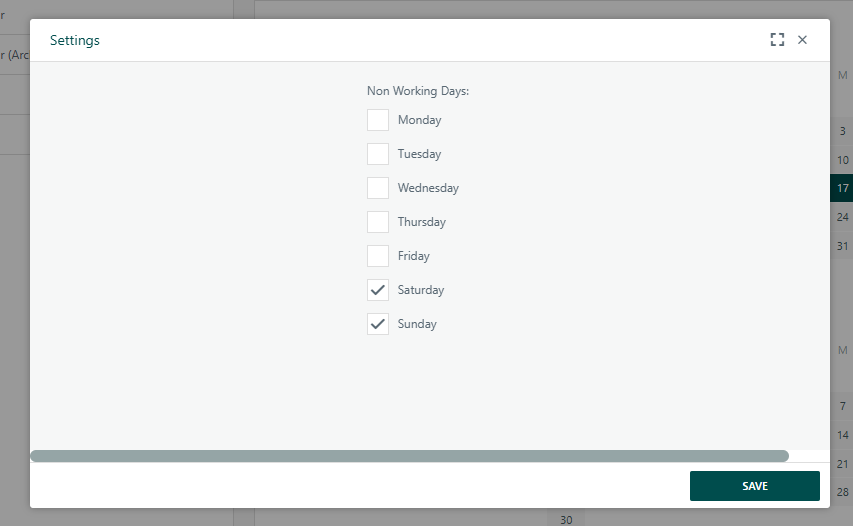
Recurring Non Working Days are defined in the Settings for the Calendar as below
Was this article helpful?
That’s Great!
Thank you for your feedback
Sorry! We couldn't be helpful
Thank you for your feedback
Feedback sent
We appreciate your effort and will try to fix the article