GovCon: Estimated Actuals (EA) Register
Estimated Actual (EA) costs or accruals of significant material items for which performance has been claimed but invoice payment has not been recorded in the accounting system. All estimated actuals must be based on documented, verifiable information and only apply to current period.
How to Use This Function or Component (End User)
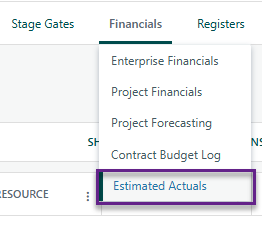
Navigate to the Estimated Actuals Register on the Project Toolbar.
Click Add at the top-left of the register to open the details panel.
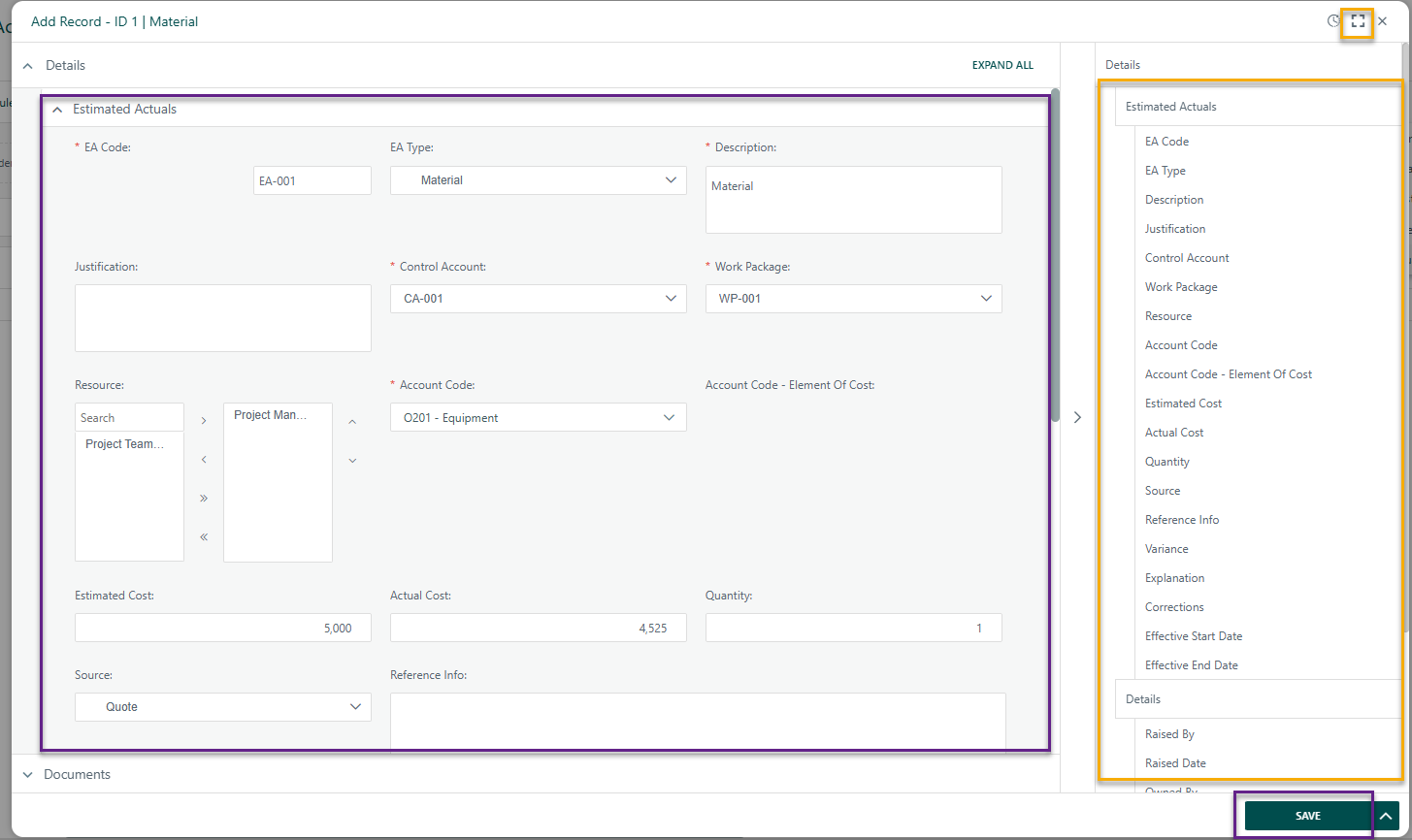
Enter the required information in the fields provided.
- Note: Parent ID will be blank until after the first register item is added as this a dropdown list that references register items that have been previously created.
- To expand the data entry view, click the expand icon in the top-right corner of the details panel.
- A summary of the entered data appears on the right side for quick reference.
When complete:
- Click Save to add the record to the register.
- Click Submit to add the item to the workflow (if applicable).
Close the dialog box.
Your new item is now added to the register.


? Items to be aware of (Gotchas!)
Item | Admin, End User, or Both |
|---|---|
Estimated Actual Register references the WBS Register, therefore is required. | Both |
WBS Register needs to be created before Estimated Actuals due to dropdowns on register that reference WBS Register. | Both |
Upcoming Enhancement: Future releases will update the Work Package field to be optional rather than a mandatory requirement as well the Quantity field will be removed. | Both |
Was this article helpful?
That’s Great!
Thank you for your feedback
Sorry! We couldn't be helpful
Thank you for your feedback
Feedback sent
We appreciate your effort and will try to fix the article