GovCon: Single Point Adjustment (SPA) Register
A Single Point Adjustment (SPA) log provides critical governance by documenting the formal "reset" of a project's performance metrics, ensuring that major baseline realignments remain transparent and defensible to stakeholders and auditors like the Defense Contract Audit Agency (DCAA). In complex environments where historical variances become unrecoverable or scope shifts render old data irrelevant, the SPA log captures the justification for zeroing out cumulative cost and schedule variances to establish a realistic path forward. This prevents the appearance of unauthorized data manipulation while restoring the utility of performance metrics, ultimately allowing leadership to drive future outcomes based on current reality rather than being obscured by past performance "noise."
How to Use This Function or Component (End User)
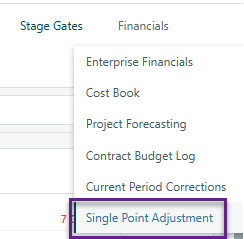
Navigate to the Single Point Adjustment Register on the Project Toolbar.
Click Add at the top-left of the register to open the details panel.
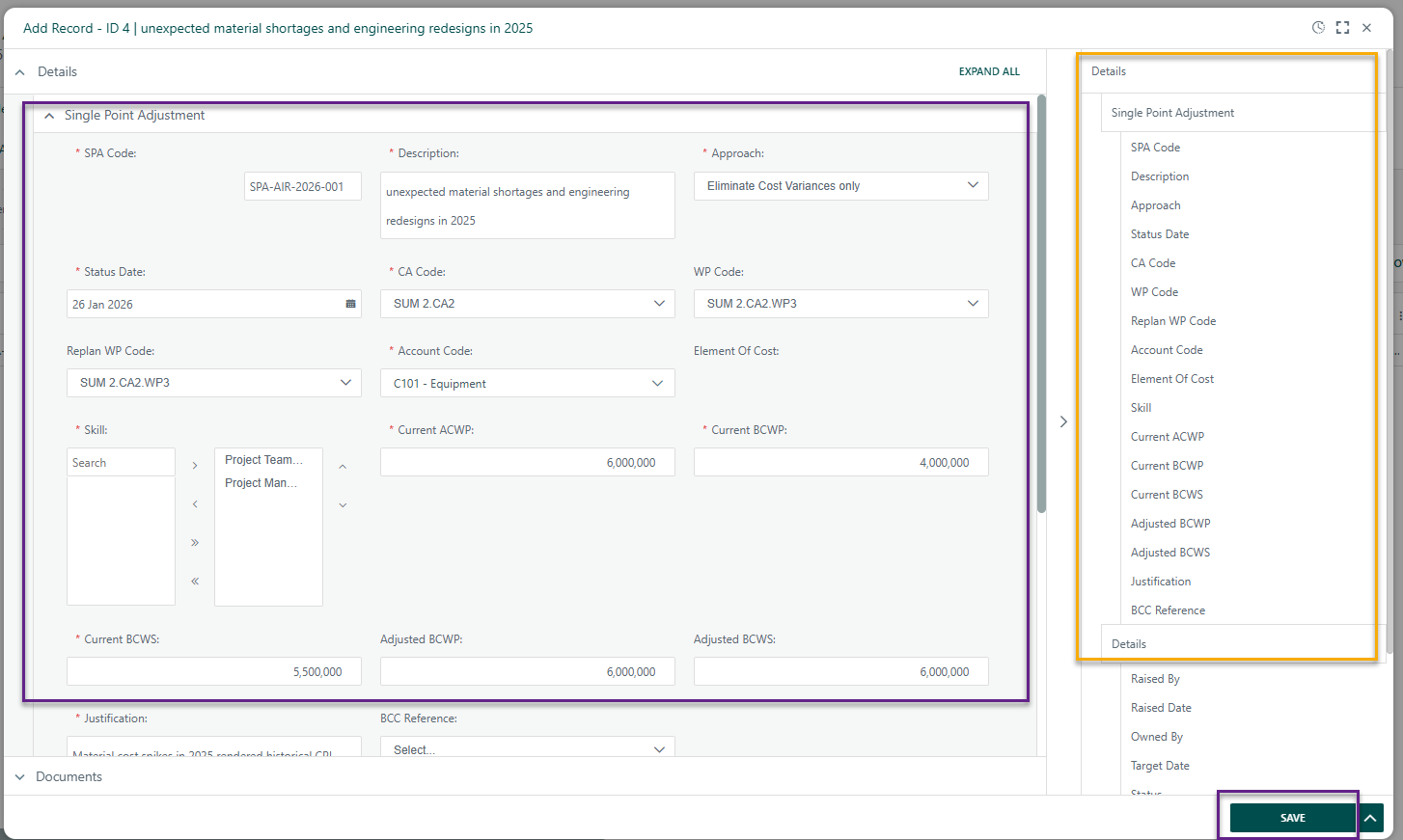
Enter the required information in the fields provided.
- Note: Parent ID will be blank until after the first register item is added as this a dropdown list that references register items that have been previously created.
- To expand the data entry view, click the expand icon in the top-right corner of the details panel.
- A summary of the entered data appears on the right side for quick reference.
When complete:
- Click Save to add the record to the register.
- Click Submit to add the item to the workflow (if applicable).
Close the dialog box.
- Your new item is now added to the register.


? Items to be aware of (Gotchas!)
Item | Admin, End User, or Both |
|---|---|
Single Point Adjustment Register references the WBS Register and Baseline Change Control Register, therefore is required. | Both |
Single Point Adjustment Register references the Element of Cost, Skills and Account Codes system fields therefore is required and need to be setup before enabling Register for use. | Both |
Was this article helpful?
That’s Great!
Thank you for your feedback
Sorry! We couldn't be helpful
Thank you for your feedback
Feedback sent
We appreciate your effort and will try to fix the article