GovCon: IPMDAR
Integrated Program Management Data and Analysis Report (IPMDAR) transforms project oversight from a retrospective reporting exercise into a proactive decision-making engine. By providing a standardized, high-fidelity data exchange between the contractor and the government, IPMDAR enables real-time visibility into the relationship between cost, schedule, and technical performance. This transparency reduces administrative burden, eliminates data silos, and empowers leadership to identify risks and execute corrective actions before they impact the mission.
How to Use This Function or Component (End User)
To begin, select the IPMDAR item from the project toolbar. Before generating your files, you must review and configure the following four tabs.
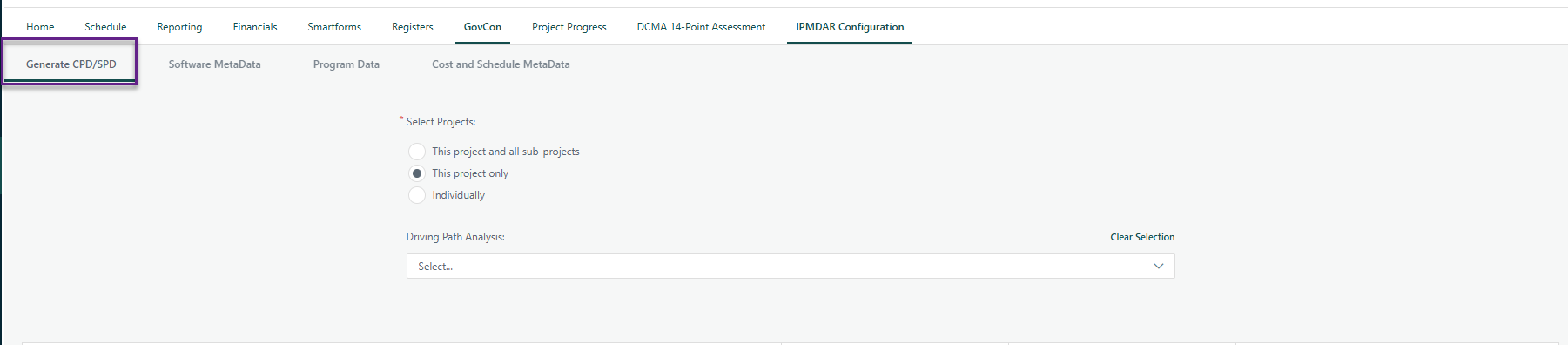
1. Generate CPD/SPD
This tab defines the scope and analysis parameters for your export.
- Export Scope: Choose whether to generate the IPMDAR for the current project only, the project and its subprojects (as a program), or run them individually.
Driving Path Analysis: Toggle the inclusion of driving path analysis and select the specific paths required from the dropdown list.
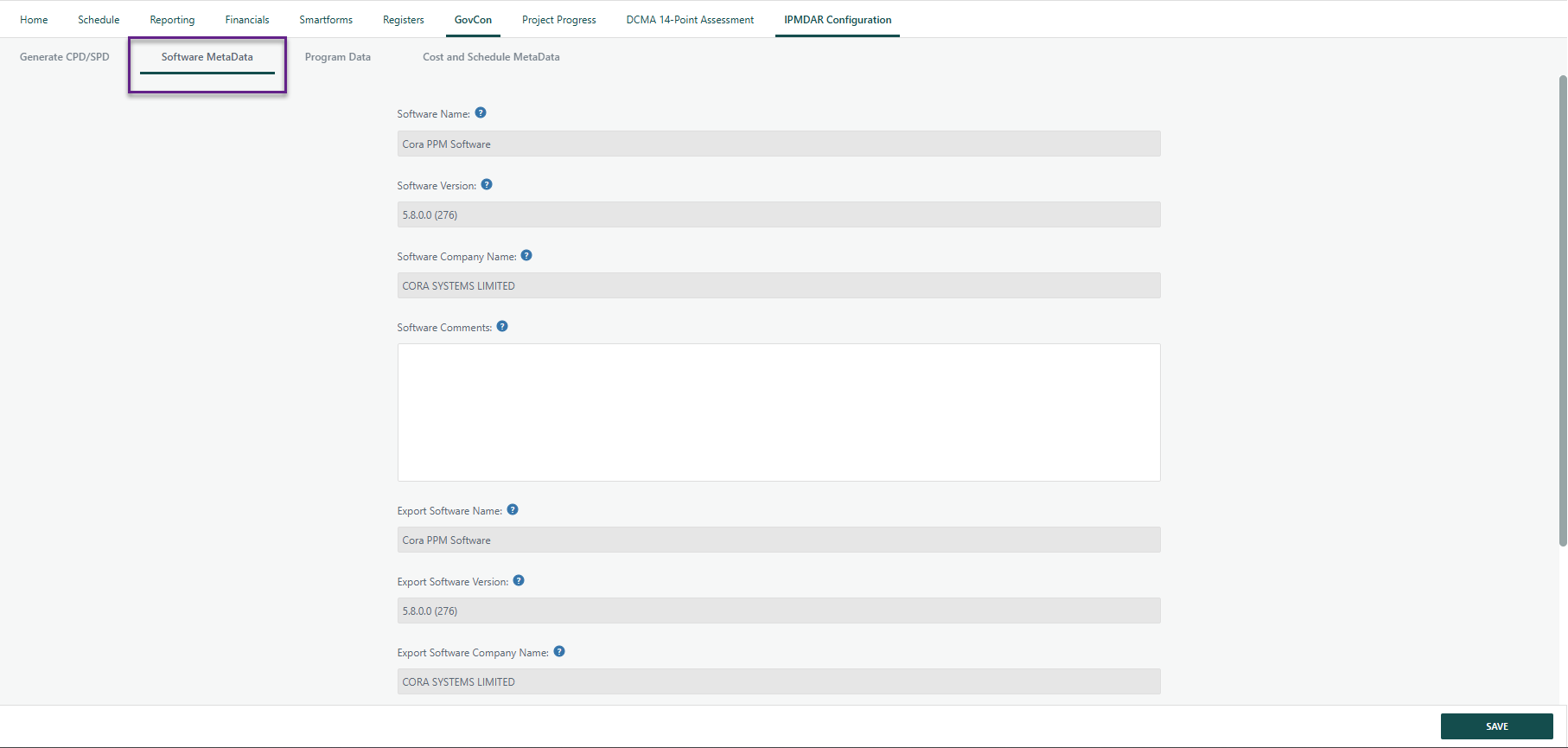
2. Software Metadata
Most information in this section is pulled directly from the software database.
- Read-Only Fields: All but two fields are automatically generated and cannot be edited here.
User Comments: Use the provided text boxes to add any specific notes regarding the software version or the export details.
3. Program Data
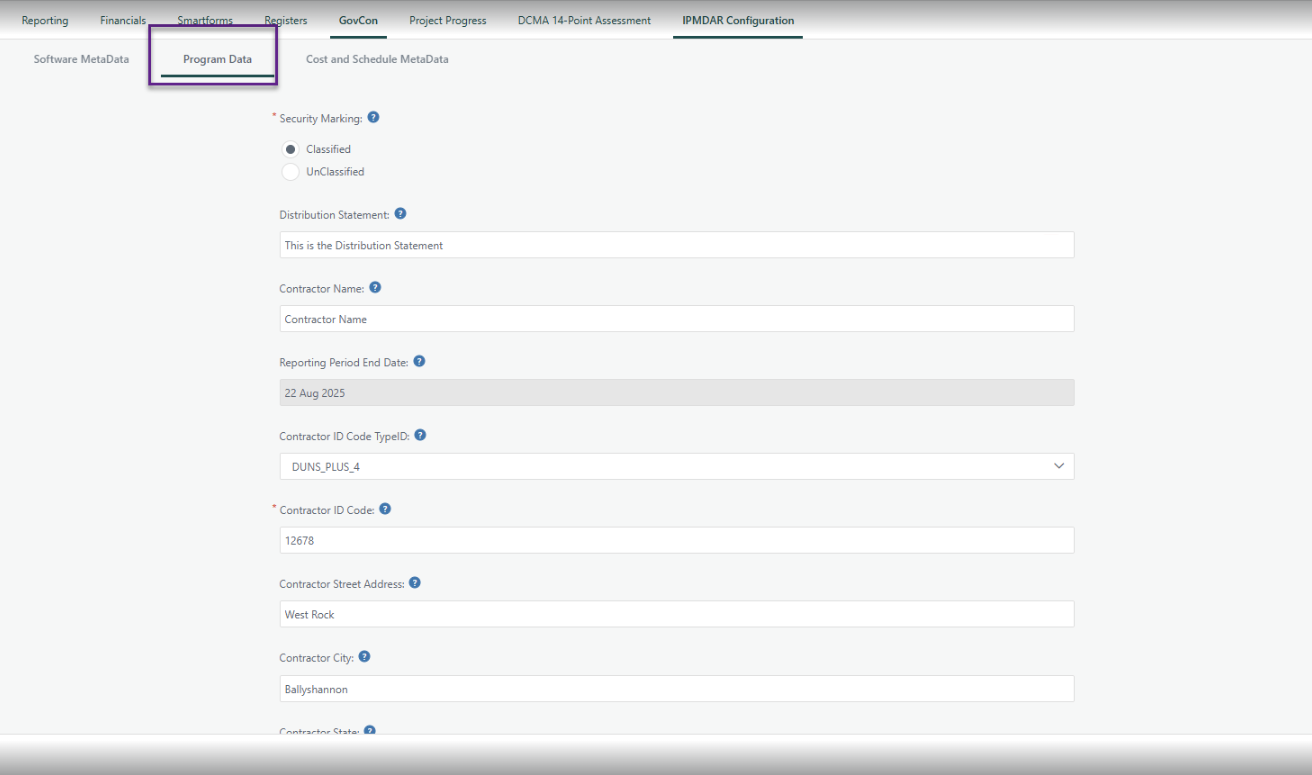
Enter high-level administrative and contractual details required for the header data.
- Security & Distribution: Input the security marking (e.g., Classified/Unclassified) and the appropriate Distribution Statement.
- Contract Details: Provide contractor information, contract type, and high-level program status.
- EVM Status: Indicate if the Earned Value Management (EVM) system has been accepted and, if applicable, the date of the last acceptance.
Point of Contact (POC): Ensure the correct POC information is listed for the submission.
4. Cost & Schedule Metadata
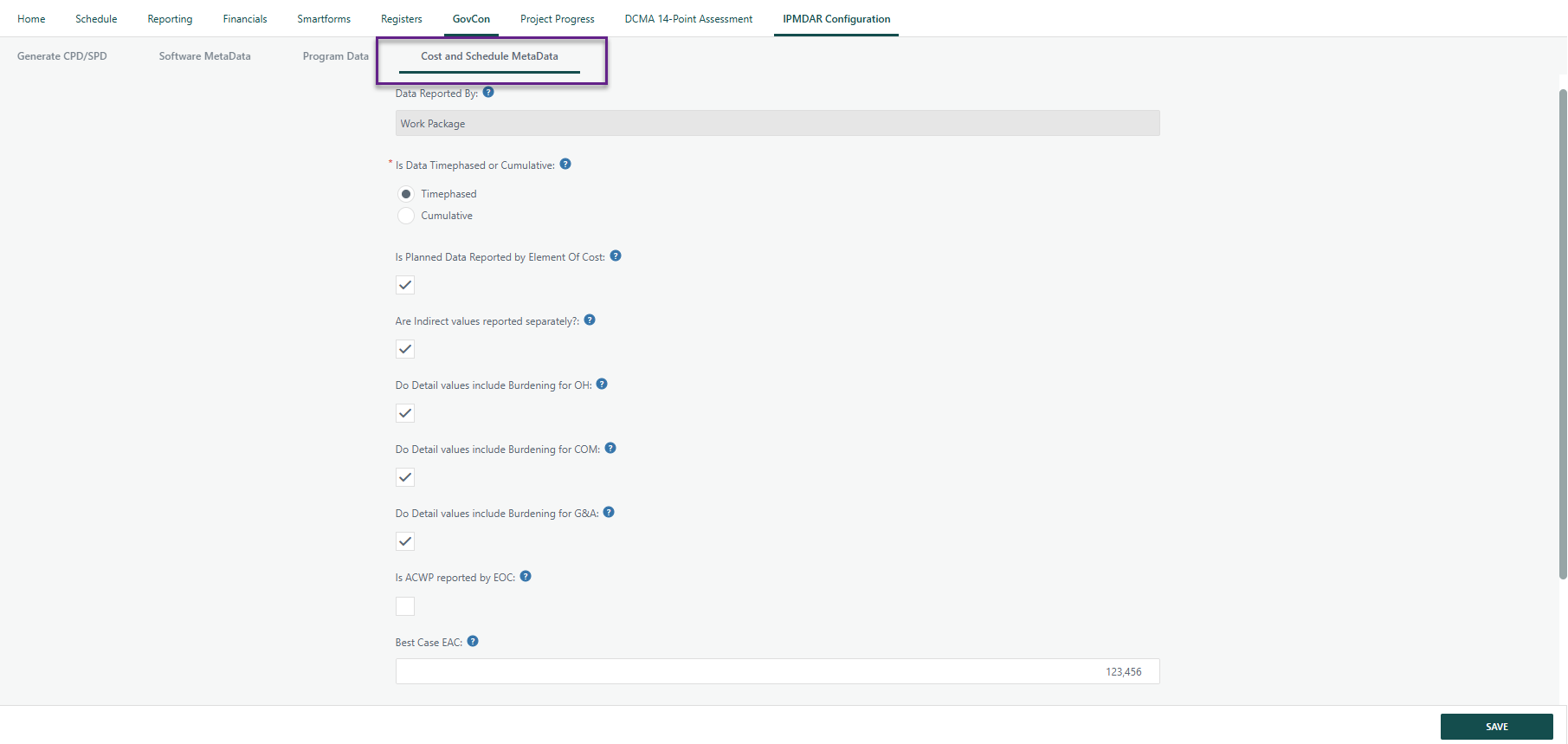
Define how the cost data is structured and reported within the JSON files.
- Data Structure: Dictate if data should be reported as Timephased or Cumulative.
- Cost Details: Specify if values include burdening, if indirects are separated, or if data is reported by Element of Cost (EOC).
EAC Values: Enter the Best Case, Current, and Worst Case Estimate at Completion (EAC).
5. Final Generation
Once all tabs have been reviewed and the data is validated:
- Navigate back to the Generate CPD/SPD tab.
- Click the Generate button.
- The system will compile the data and provide a .zip file containing all required JSON exports.
Note: Ensure all mandatory fields in the Program Data tab are filled to avoid validation errors during the generation process.
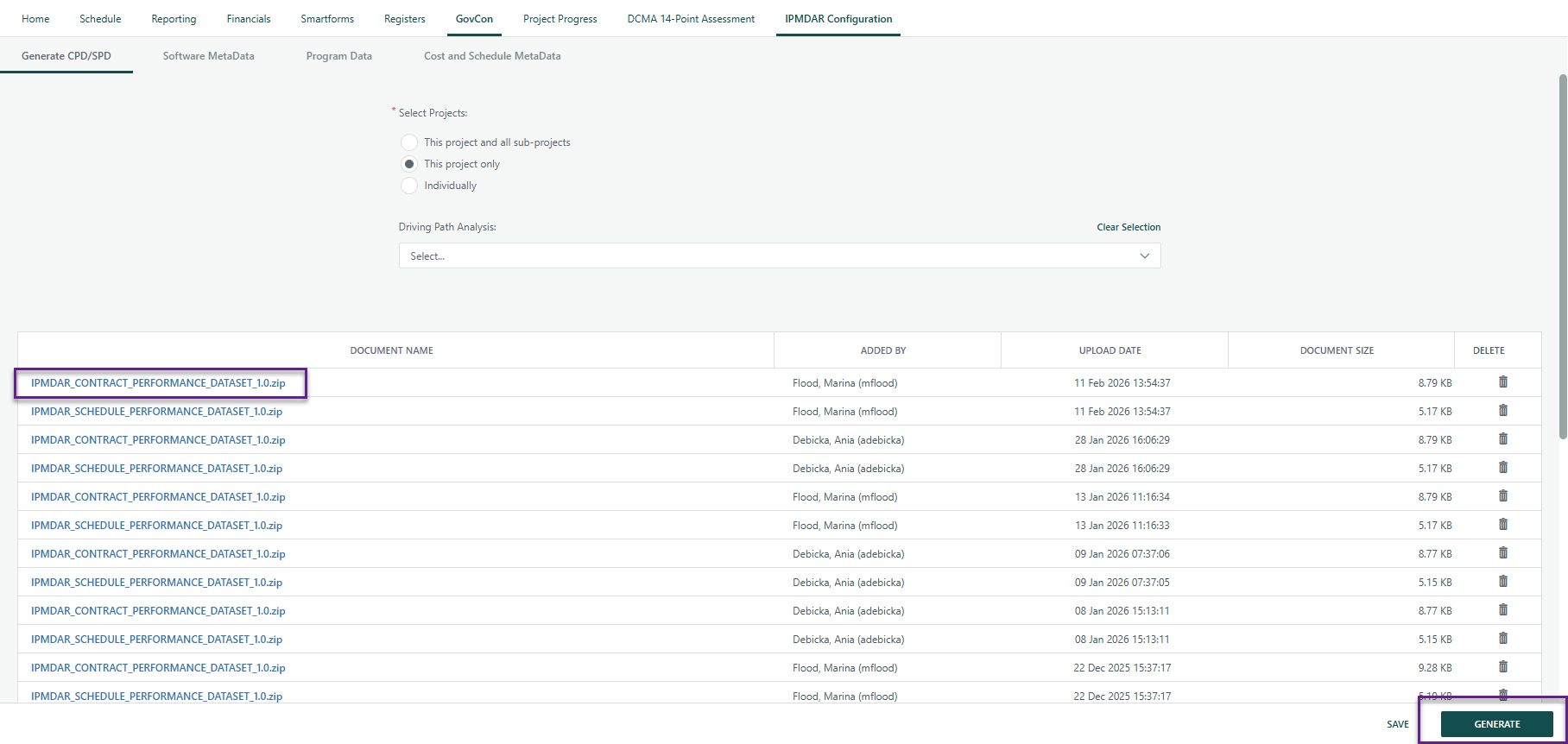
- Click on the document name to download the .zip file.
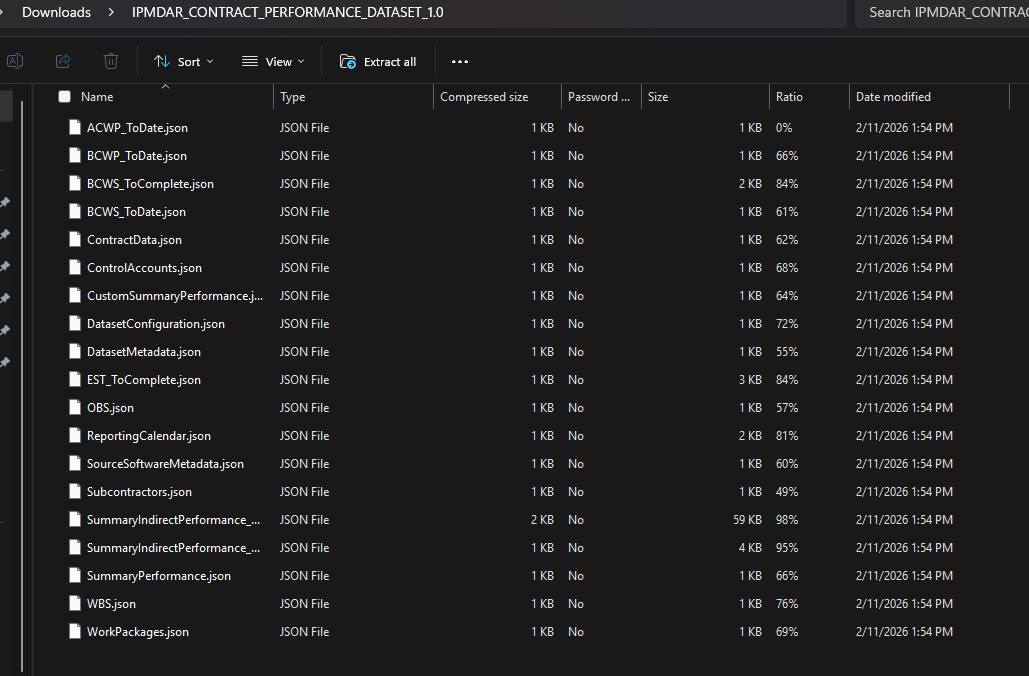
IPMDAR can only be run for the current period. Once a new period is generated, prior period will be available to generate an IPMDAR for.
? Items to be aware of (Gotchas)
Item | Admin, End User, or Both |
|---|---|
The Status Date is set
| End User |
IPMDAR can only be run for the current period. Once the new period data is generated, prior periods will not be available. | End User |
.
Was this article helpful?
That’s Great!
Thank you for your feedback
Sorry! We couldn't be helpful
Thank you for your feedback
Feedback sent
We appreciate your effort and will try to fix the article