GovCon: DCMA 14 Point Assessment
The DCMA 14-Point Assessment is a set of guidelines established by the Defense Contract Management Agency (DCMA) to evaluate the technical quality and integrity of a project schedule
✅ What are the 14 Points of Assessment?
Most of these tests use a 5% threshold, meaning if more than 5% of your tasks fail the criteria, the entire schedule "fails" that health check.
Group 1: The Logic & Relationship Tests
These ensure the schedule is a dynamic "network" where every task is connected.
1. Logic (Missing Predecessors/Successors): Checks for "dangling" tasks. Every task (except the start and finish) must have at least one link.
- Threshold: Max 5% missing logic.
2. Leads (Negative Lag): Checks for tasks starting before their predecessor finishes using a negative value. This is physically impossible in most cases and distorts the critical path.
- Threshold: 0% (Prohibited).
3. Lags (Positive Lag): Checks for forced delays between tasks (e.g., "Wait 3 days for concrete to dry"). Excessive lags hide logic and make the schedule rigid.
- Threshold: Max 5%.
4. Relationship Types: Checks if tasks use Finish-to-Start (FS). Other types (SS, FF, SF) make the schedule harder to read and calculate.
- Threshold: Min 90% must be Finish-to-Start.
Group 2: The Constraint & Flexibility Tests
These ensure the schedule can move and breathe when delays occur.
5. Hard Constraints: Checks for fixed dates (e.g., "Must Finish On"). These "pin" tasks to the calendar and prevent the schedule from recalculating naturally.
- Threshold: Max 5%.
6. High Float: Checks for tasks with more than 44 days of "slack." High float often means a task is missing a successor, meaning a delay won't show an impact on the end date.
- Threshold: Max 5%.
7. Negative Float: Checks for tasks that are already behind their required finish dates. This indicates the schedule is already "broken" or unachievable.
- Threshold: 0%.
8. High Duration: Checks for tasks longer than 44 working days (approx. 2 months). These should be broken into smaller sub-tasks for better tracking.
- Threshold: Max 5%.
Group 3: Data Integrity & Resource Tests
These ensure the "who" and the "when" are accurate.
9. Invalid Dates: Checks for "Actual" dates in the future or "Forecast" dates in the past. This is a data entry error.
- Threshold: 0%.
10. Resources: Checks if all tasks have labor or costs assigned. If a task has no resource, it isn’t a real plan; it's just a wish.
- Threshold: 0% (All tasks must have resources).
Group 4: Performance & Forecast Tests
These measure how well the team is actually executing against the plan.
11. Missed Tasks: Compares actual finish dates to the Baseline finish dates. It measures the "slip" of the project.
- Threshold: Max 5%.
12. Critical Path Test: A manual "stress test." If you intentionally delay the first task on the Critical Path, does the final project finish date move? If not, your logic is broken.
- Threshold: Must Pass (100%).
13. CPLI (Critical Path Length Index): Measures the "health" of the finish date. It calculates if the remaining work can actually fit into the remaining time.
- Target: >/=0.95.
14. BEI (Baseline Execution Index): A ratio of tasks actually completed vs. tasks that should have been completed by now according to the baseline.
- Target: >/= 0.95.
For more information the 14 Point Assessment, and the logic that Cora uses, see the Defense Acquisition University on Schedule Health Assessment.
How to Use This Function or Component (End User)
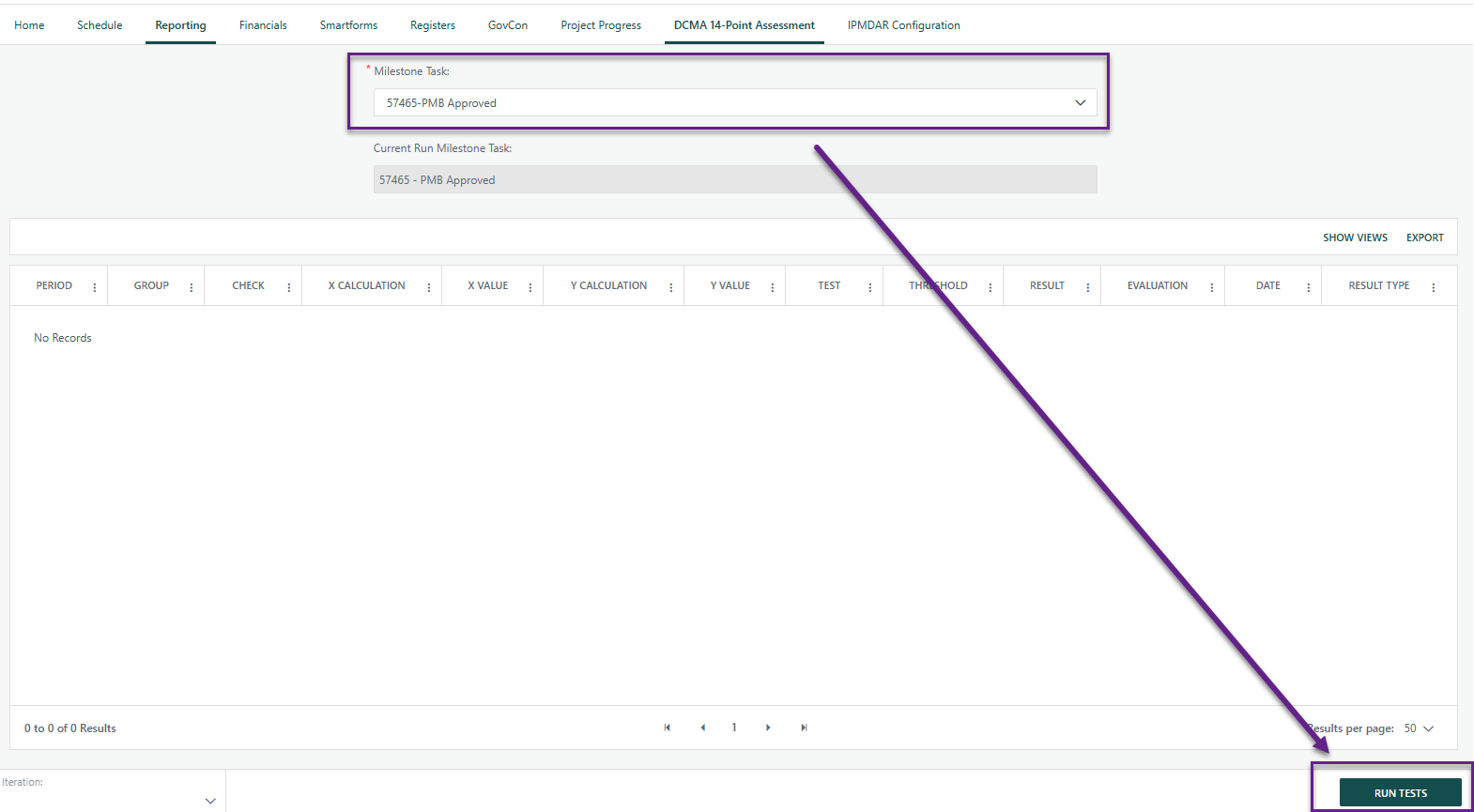
- Navigate to the Project Toolbar and select the DCMA 14-Point Assessment icon.
Identify the specific Milestone Task you wish to assess. This is typically your final project completion milestone or a major phase gate.
- Note: The assessment calculates logic and float based on the path leading to this selected milestone.

- Click the Run Tests button. The system will analyze all underlying tasks and dependencies within the milestone’s network.
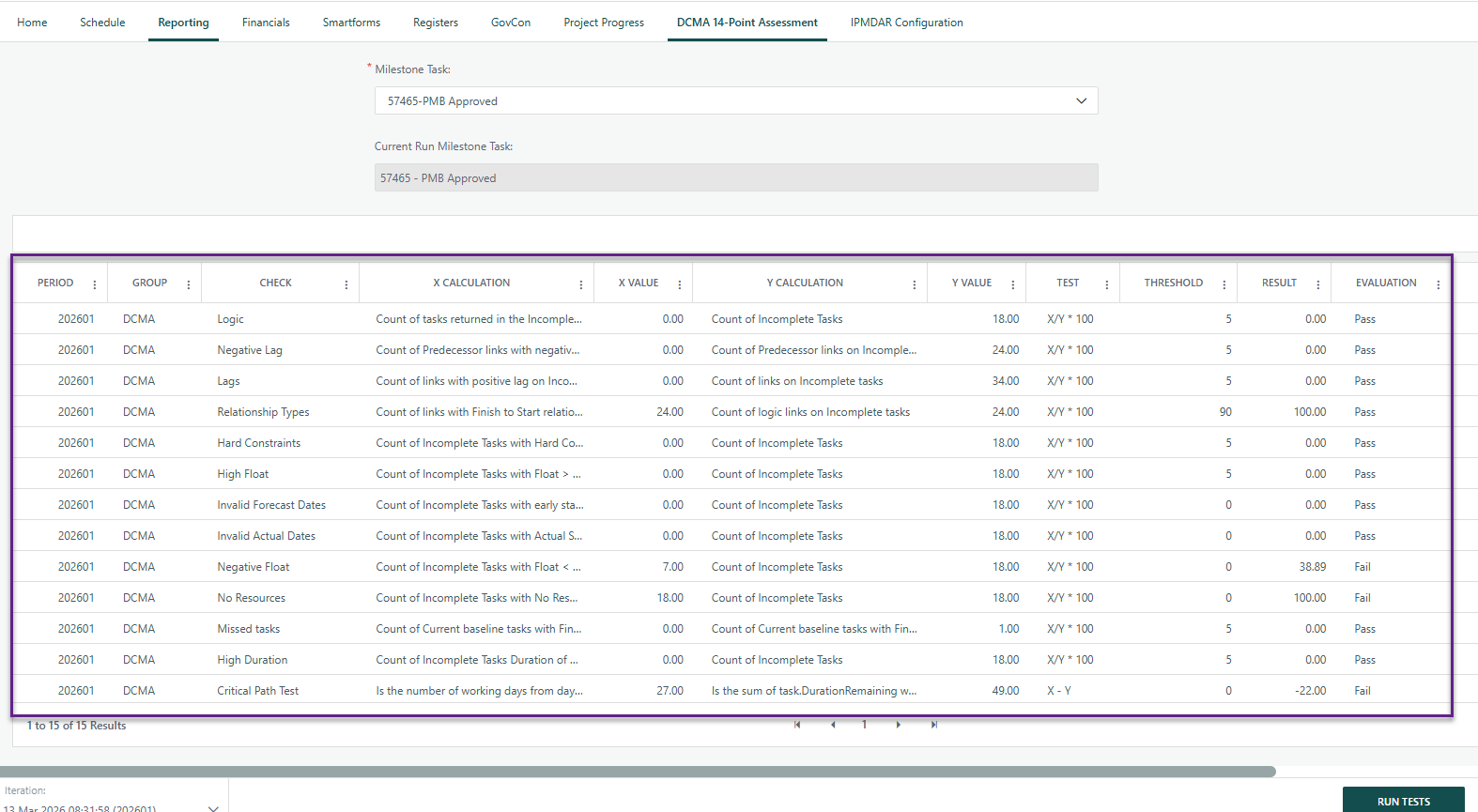
- The assessment will generate a detailed results table. Each row represents one of the 14 tests with the following data points:
Data Point | Description |
Period | The reporting window based on the current Status Date. |
Check | The specific DCMA metric being analyzed (e.g., Logic, Leads, or High Float). |
X Calculation & Value | The Numerator: The specific count of tasks that triggered the metric (e.g., "12 tasks with missing successors"). |
Y Calculation & Value | The Denominator: The total population of tasks being evaluated (e.g., "Total incomplete tasks"). |
Test Ran | A description of the specific diagnostic criteria applied to the dataset. |
Threshold | The allowable limit for that specific metric (typically 5% for logic/constraints). |
Result | The actual percentage or index calculated ($\frac{X}{Y}$). |
Evaluation | A Pass/Fail indicator showing if the Result meets the Threshold requirements. |
? Items to be aware of (Gotchas!)
Item | Admin, End User, or Both |
|---|---|
Status Date is required to generate the report. Message will appear on Assessment if one is not set. 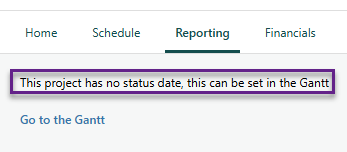 | User |
Milestone Task Type is required or dropdown on Assessment will appear blank 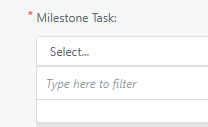 | User |
Was this article helpful?
That’s Great!
Thank you for your feedback
Sorry! We couldn't be helpful
Thank you for your feedback
Feedback sent
We appreciate your effort and will try to fix the article