GovCon: Work Breakdown Structure (WBS) Register
The Work Breakdown Structure (WBS) register is a standardized register for creating and managing the Work Breakdown Structure, ensuring full traceability across budget, contractual, and organizational dimensions.
How to Use This Function or Component (End User)
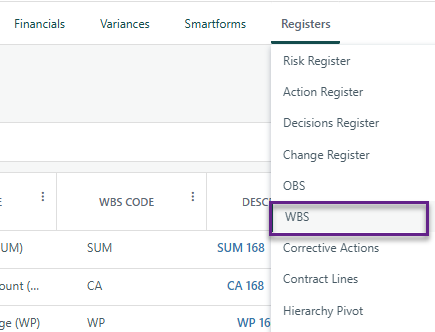
Navigate to the WBS Register on the Project Toolbar.
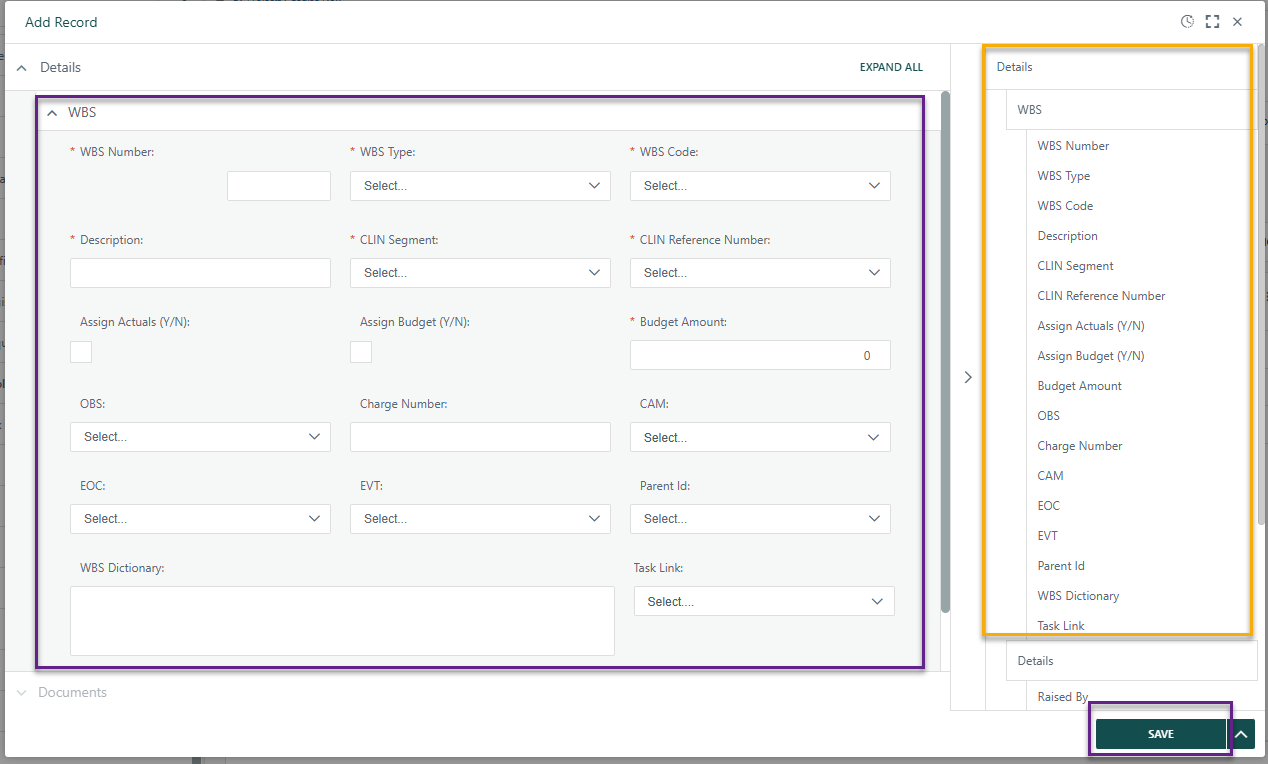
Click Add at the top-left of the register to open the details panel.
Enter the required information in the fields provided.
Notes:
- Parent ID will be blank until after the first register item is added as this a dropdown list that references register items that have been previously created.
- CLIN Reference Number and CLIN Segment references the Contract Line Register. This dropdown will appear blank until lines are entered on that Register.
- OBS field references the OBS Register. This dropdown will appear blank until lines are entered on that Register.
- Task Link references the schedule. This dropdown will appear blank until tasks are added to the schedule (ie: Gantt).
- To expand the data entry view, click the expand icon in the top-right corner of the details panel.
- A summary of the entered data appears on the right side for quick reference.
When complete:
- Click Save to add the record to the register.
- Click Submit to add the item to the workflow (if applicable).
Close the dialog box.
Your new item is now added to the register.

Note: The Description field will display with indentation to reflect the hierarchy based on the selected WBS type.
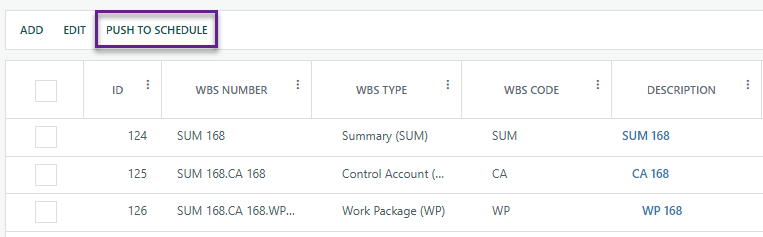
Once all WBS lines are entered, click the Push to Schedule button to populate the schedule from the WBS Register.

Syncing the WBS Register and Gantt
The WBS Register and Gantt chart are synced manually — there is no automatic sync between them. The initial sync is performed once to connect the two (Push to Schedule); after that, any changes must be updated in both the WBS Register and the Gantt chart independently.
New records added to the WBS Register can be pushed to the Gantt chart individually as needed.
When the PMB is approved, the Budget Amount field on the WBS Register is automatically updated with the Planned Cost from the corresponding linked task. This field is also updated whenever a Baseline Change has been approved and applied against the PMB.
Work Breakdown Structure Register is built on Cora's native Register functionality. See the general Register articles for further capabilities.
? Items to be aware of (Gotchas!)
Item | Admin, End User, or Both |
|---|---|
Earned Value Management - WBS Register is required for EVM. | Both |
WBS Register references the OBS Register & Contract Line Register, therefore both are required and need to be created before the WBS Register. | Both |
An APPROVED Project Baseline is required for WBS register as it update the Budget Amount field. | Admin |
Was this article helpful?
That’s Great!
Thank you for your feedback
Sorry! We couldn't be helpful
Thank you for your feedback
Feedback sent
We appreciate your effort and will try to fix the article