Register: Document Template
A document template in Cora PPM is a Word (.docx) file that an administrator pre-configures for a register. When you open a register record, you can view that template pre-populated with the record's field values (bookmarks are replaced with live data), and you can download it as a PDF or print it directly from the browser. The feature is read-only — you view and export the output; you cannot edit the document inside Cora.
To generate a register document:
- Look for the document icon in the modal toolbar
In the register record you will see a document icon. This icon is only enabled if: - A template has been uploaded for that register by an administrator, and
You have already saved the record (the icon is disabled for brand-new unsaved records).
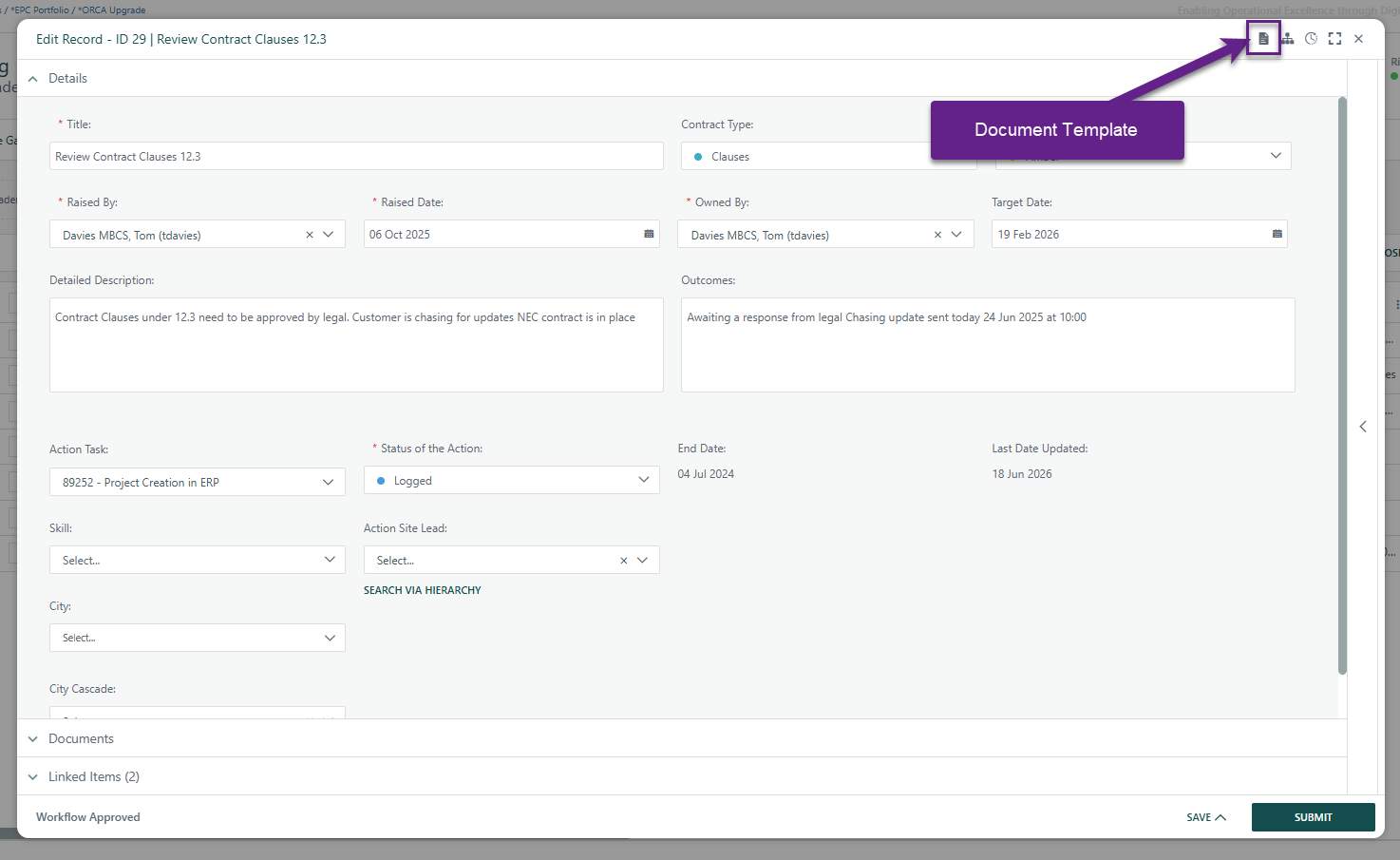
- Click the document icon
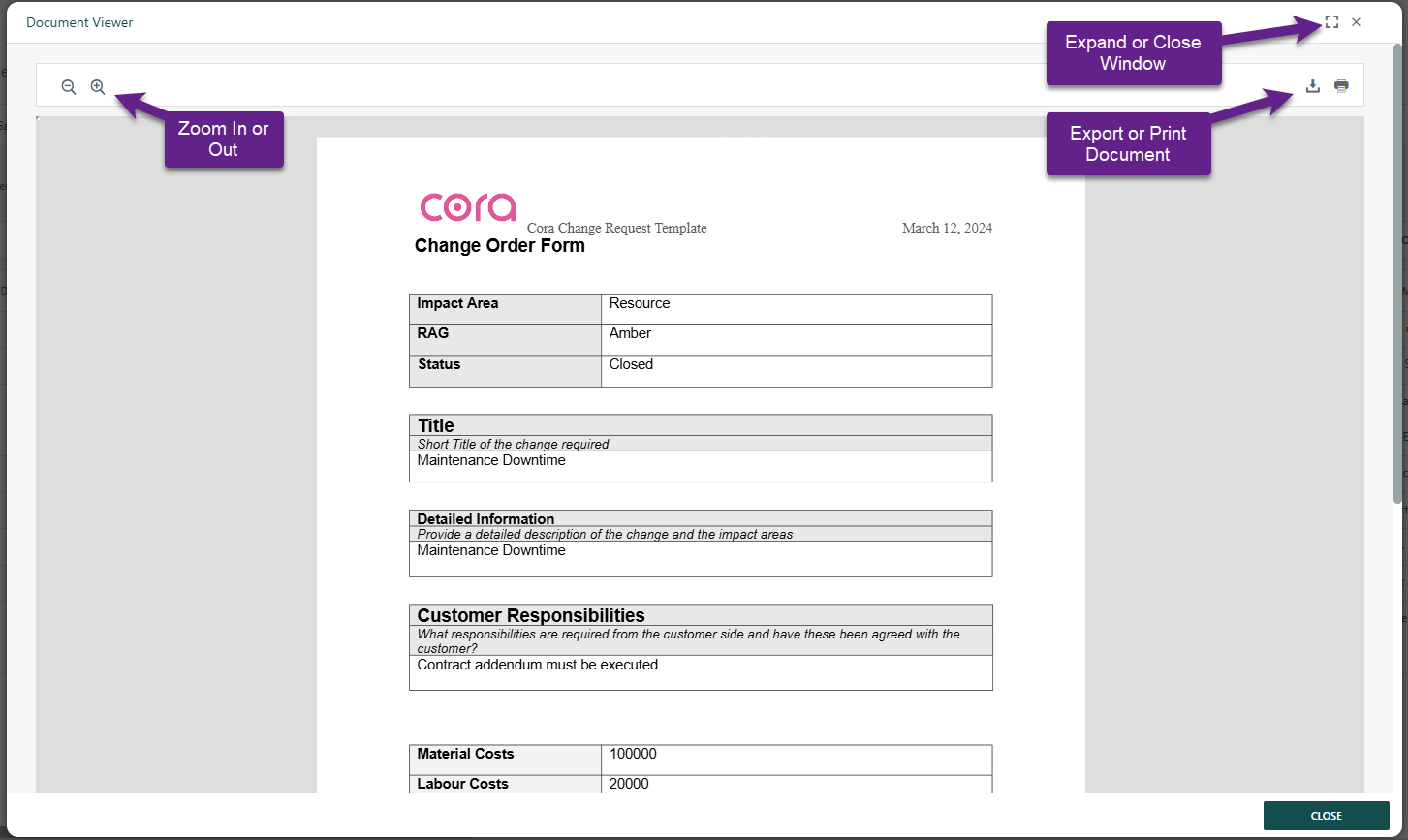
This opens a separate modal titled (based on register name). . - Wait for the document to load
Interact with the rendered document
Inside the document viewer modal you can:- Zoom in / Zoom out using the toolbar zoom buttons.
- Download as PDF using the export/download button (saves as a PDF named after the register).
- Print using the print button.
- Close the modal
Click the primary Close button to dismiss the document viewer.
Was this article helpful?
That’s Great!
Thank you for your feedback
Sorry! We couldn't be helpful
Thank you for your feedback
Feedback sent
We appreciate your effort and will try to fix the article