GovCon: Variances
Earned Value variance refers to the difference between planned performance and actual performance on a project, measured in terms of cost or schedule. It’s a key component of Earned Value Management (EVM) and helps assess how well a project is adhering to its budget and timeline
How to Use This Functionality (End User)
Before navigating to Variances, ensure the following conditions are met:
- The Status Date is set
A current, active, and approved baseline exists for:
- PMB (Performance Measurement Baseline)
- MTH (Monthly Time-Phased Baseline)
- ETC (Estimate to Complete Baseline
Generate data on the EAC Analysis page
- Each time the EAC Analysis page is refreshed, this automatically refreshes the data on the Variances.
Navigate to Variance from the project toolbar.

Variances will automatically generate based on conditions set by the Administrator.

- Negative Variance: This indicates a bad situation where the project is over budget or behind schedule. It means that the earned value is less than the planned value or actual cost, signaling cost overruns or schedule delays that need attention.
- Positive Variance: This indicates a good situation where the project is under budget or ahead of schedule. It means the earned value exceeds the planned value or actual cost, reflecting cost savings or schedule improvements
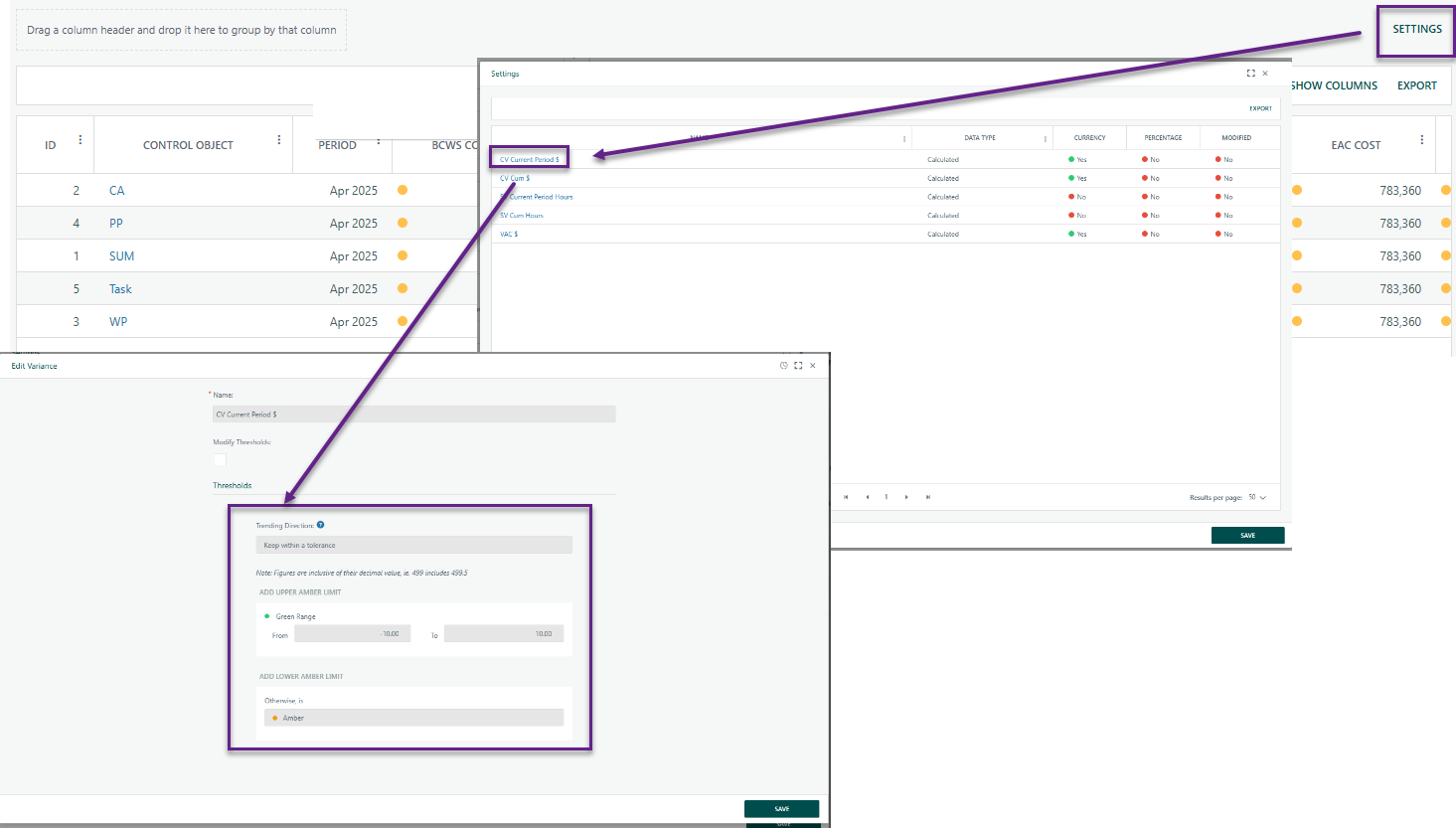
Under Settings, select each rule and its determined Red, Amber, Green (RAG) thresholds.
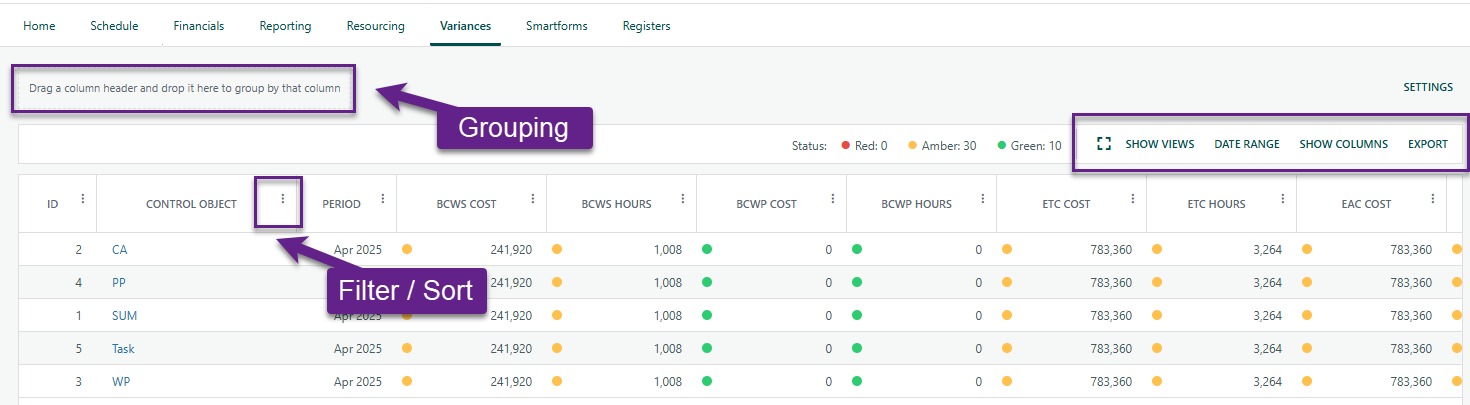
Similar to the Register, users can customize their view using the following features:
- Column Kabob Menu: Use the three-dot menu on each column header to filter and/or sort data within that column
- Date Range Selector: Choose a specific period to display relevant data
- Show Columns: Customize the view by displaying only the most relevant data
- Export to Excel: Download data for sharing with non-Cora users
- Save Views: Save customized views (filters, columns, and layout) for quicker access in the future
- Expand Screen: Maximize the screen to reduce scrolling and view more data at once
- Group Data by dragging and dropping column headers to organize and view information in different ways.
? Items to be aware of (Gotchas)
Item | Admin, End User or Both |
|---|---|
The Status Date is set
| End User |
Was this article helpful?
That’s Great!
Thank you for your feedback
Sorry! We couldn't be helpful
Thank you for your feedback
Feedback sent
We appreciate your effort and will try to fix the article