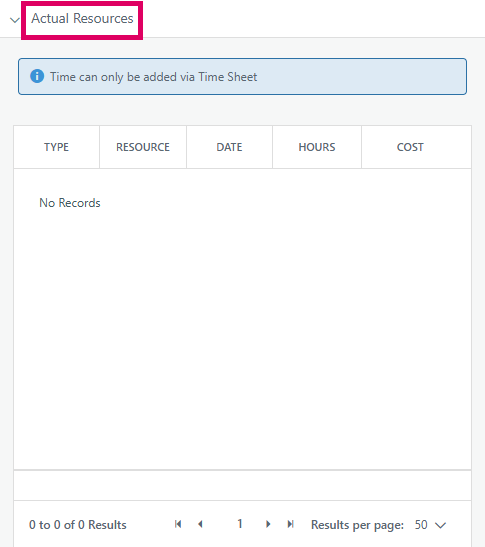
The Actual Resources section in the Cora PPM Gantt is a filter criterion in the Gantt filter panel. It allows project managers and planners to narrow the Gantt task list to show only those tasks that have been actually worked on by a specific person — i.e., tasks for which a particular user has submitted timesheet hours (actual labour hours recorded in the system).
Why does it exist? In any project, the people who are planned on a task (assigned before work begins) don't always match the people who actually did the work. Resources come and go, ad-hoc contributors log time, substitutions are made, or unplanned resources pick up tasks. The Actual Resources filter bridges this gap:
- Planned Resources (the companion filter) shows tasks assigned in advance to a person.
- Actual Resources shows tasks where a person has genuinely logged hours — meaning their timesheet records exist in the system against that task.
This distinction is critical for progress tracking, audit, and accountability: a task might have a planned resource of "Alice", but if "Bob" actually did the work and logged hours, the Actual Resources filter on "Bob" would surface it — which the Planned Resources filter would not. Without this filter, managers reviewing who actually contributed to project work would be stuck either reading every timesheet entry manually or exporting raw data.
The filter is especially important in hierarchical (parent/child task) contexts: if the "Include Parents" option is active, tasks are considered as having an actual resource if any child task within their hierarchy was worked on by that person — not just the task itself. This means a mother task (summary task) will appear in the filter results whenever any of its child tasks have actuals from the chosen resource, giving a true rolled-up view.
Additionally, two related but separate indicators exist on every Gantt task row (the "Actual Users Exist" and "Actual Facilities Exist" flags): these are not part of the filter, but are used to show a visual indicator icon on the task bar denoting that actuals have been posted — again distinguishing actual engagement from planned engagement.
Was this article helpful?
That’s Great!
Thank you for your feedback
Sorry! We couldn't be helpful
Thank you for your feedback
Feedback sent
We appreciate your effort and will try to fix the article